How I Set Up This Blog
For my first post, I think it would be cool to talk about how I set this up for anyone who might be interested in making their own blog. It really isn't too hard, and it's completely free for the basic features.
Here's what you need:
- An email address
- Internet
- Optional: $6 and a domain name
Steps:
- Go to bearblog and click "Sign up"
- Enter the title for your blog, your subdomain (the name you want for your website), and some homepage text
- Enter your email address and create a password for your admin account
- You should then see your dashboard where you can add posts, edit your homepage, and configure your blog.
NOTE: These posts are written in a lightweight markup language called markdown, so you might have to learn some basic syntax to make your posts look how you want.
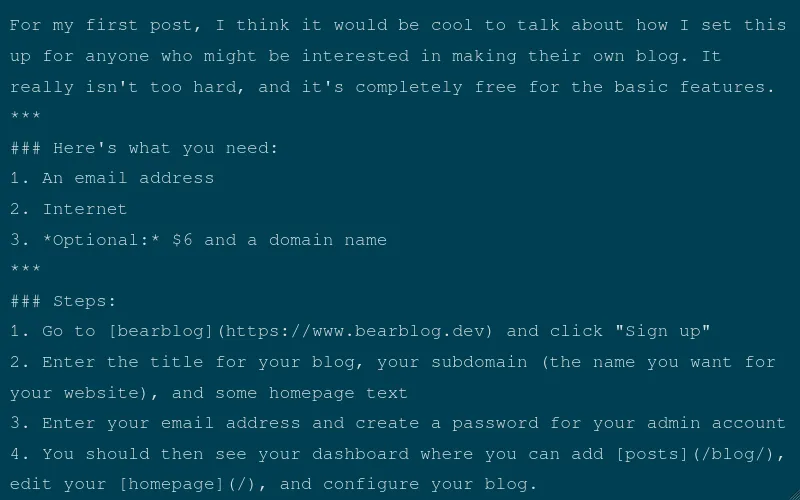
This is what this post looks like in markdown on the admin page:
Optional step:
If you have $6 (to pay for a premium bearblog subscription) and your own domain name (for example: cartersthoughts.com), then instead of your website being at cartersthoughts.bearblog.dev, you could have it just at cartersthoughts.com.
And that's it!! It's pretty simple, and it's pretty easy to maintain after the initial setup. Just log in, click "add post", write your thoughts, and click publish!